Search or browse all guides
Quick visual guide
Open the Agent, ask for one Tartol task, then follow the exact page steps.
- 1
Open Tartol Agent
Select the Tartol Agent button in the lower-right corner of the app.
 Click here
 - 2
Ask one clear question
Use a suggested question or type the page and outcome you need help with.
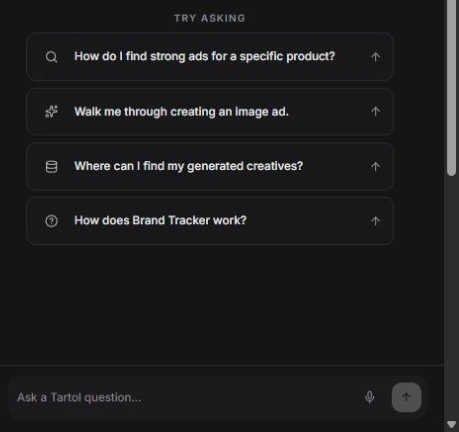 Ask here
 - 3
Follow the visible order
Open the route in the reply and follow the numbered controls from top to bottom.
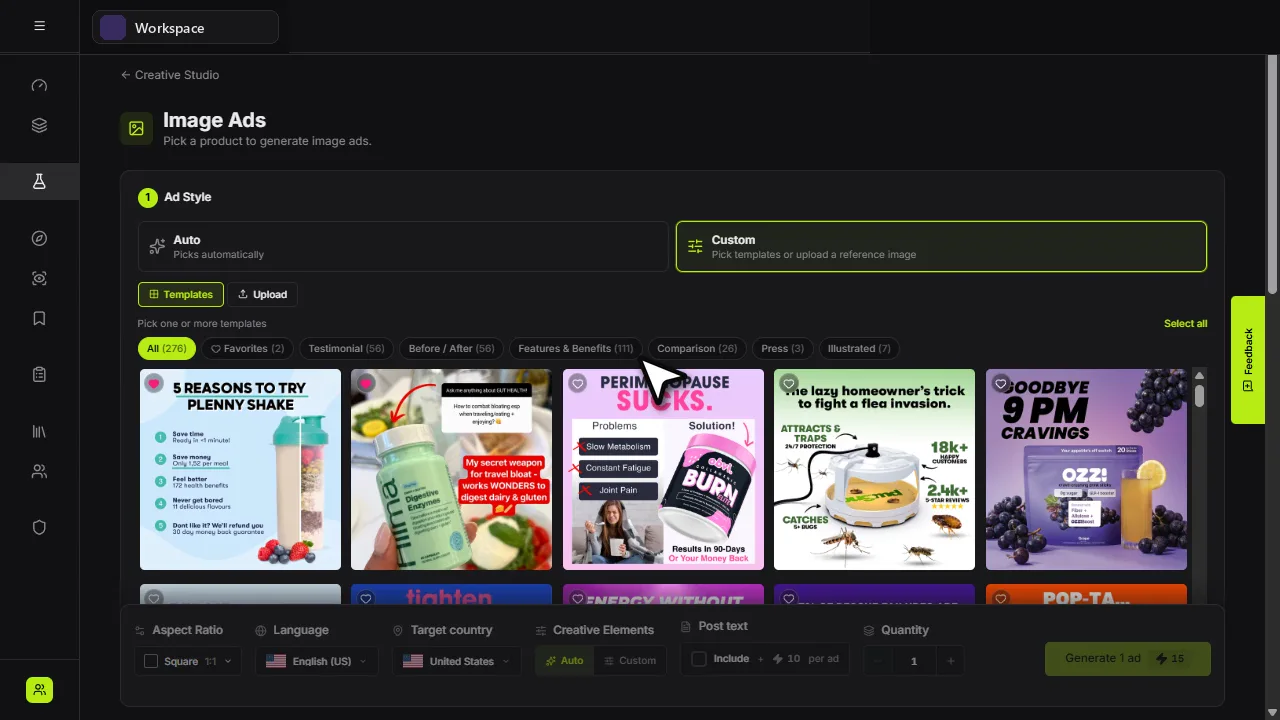 Follow page order
Red labels show the exact control to use.
Detailed referenceOpen this for definitions, limits, examples, and troubleshooting.
Open Tartol Agent
Select the Tartol logo near the lower-right corner of the app. The welcome screen offers three short questions on every page: How do I spy on competitors?, How do I find ads?, and How do I generate ads?. Select one to ask it, or type your own question.
Ask a Tartol question
- How do I find the longest-running image ads for supplements?
- Walk me through tracking a competitor in Brand Tracker.
- How do I create and organize a Saved Ads board?
- What should I set up before generating an image ad?
- How do I troubleshoot a failed Creative Studio generation?
Use the answer in Tartol
Tartol Agent answers with current UI names, routes, requirements, limitations, and troubleshooting steps. Follow the linked Tartol page to perform the workflow. The Agent may use minimized read-only account context to make an answer more relevant, but it cannot change platform data or prepare an action.
Read answers at a glance
Simple questions receive a short answer. Longer explanations can use headings, numbered steps, bullet lists, bold highlights, comparison tables, and code examples. Tables and code blocks scroll horizontally inside the chat on smaller screens. You can ask for a comparison table or a step-by-step explanation.
- Links can use descriptive labels or show the Tartol route.
- Unsafe links, raw HTML, and embedded images are blocked in chat answers.
- Formatting does not add action permissions: complete changes in Tartol or through a supported API or MCP workflow.
Agent access follows your account
If Tartol Agent is not included in your plan, the chat input shows the available trial or upgrade option.
- Your account must remain active and the selected workspace must still be accessible. Impersonated or read-only sessions cannot send chat messages.