Search or browse all guides
Quick visual guide
Use the documented MCP URL and OAuth flow exactly as shown.
- 1
Check the base URL
Open the MCP reference and use the published HTTPS server URL.
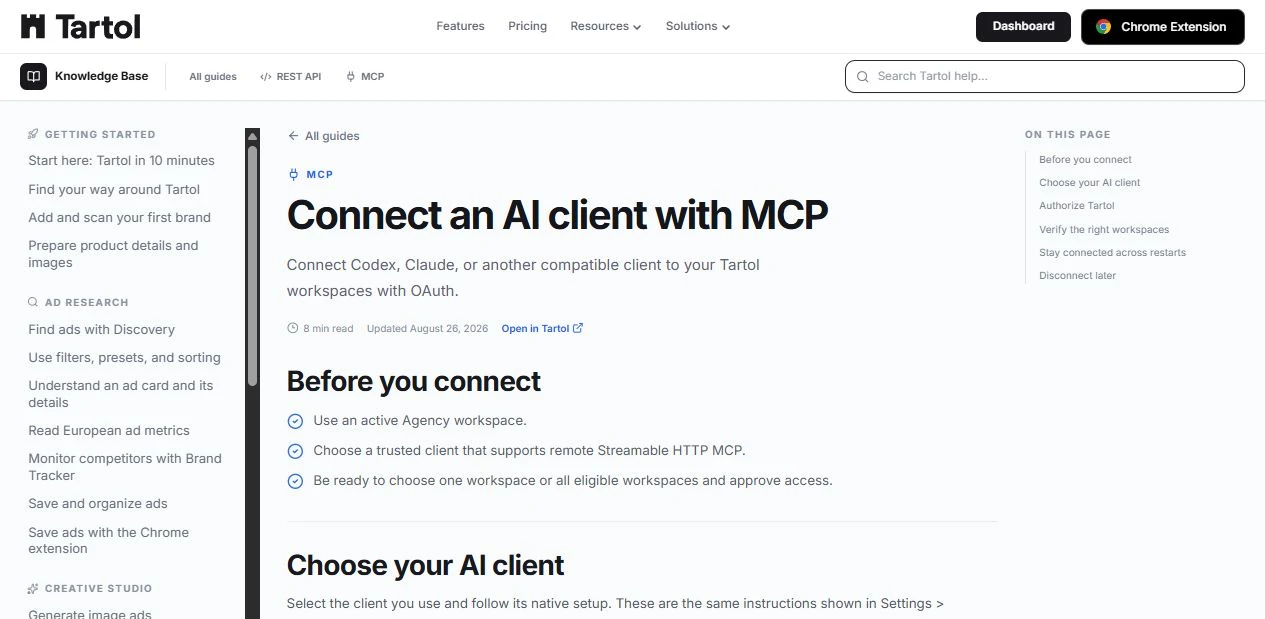 MCP guide
 - 2
Copy the server URL
Settings > Integrations shows the server URL for each supported client.
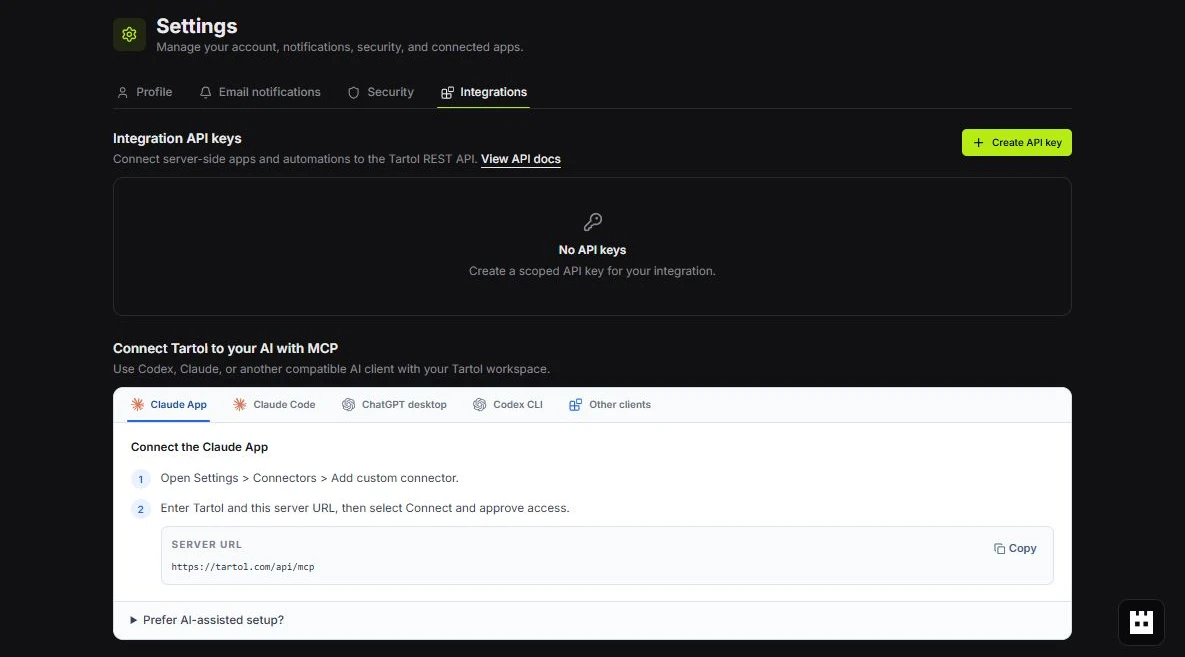 Copy server URL
 - 3
Follow OAuth in order
Use discovery, authorization, token exchange, and revocation sections without skipping required checks.
Follow the sections
Red labels show the exact control to use.
Detailed referenceOpen this for definitions, limits, examples, and troubleshooting.
Base URL and authentication
All public endpoints use https://tartol.com. Compatible clients discover Tartol’s OAuth endpoints, open the browser authorization flow, and send the resulting access token when calling the MCP endpoint.
https://tartol.com/api/mcpPublic endpoints
| Method | Path | Purpose |
|---|---|---|
| GET | /.well-known/oauth-protected-resource | MCP resource and supported scopes. |
| GET | /.well-known/oauth-authorization-server | OAuth server metadata and endpoint URLs. |
| GET | /oauth/authorize | Start authorization code flow with PKCE. |
| POST | /oauth/register | Register a public OAuth client. |
| POST | /oauth/token | Exchange a code or refresh token. |
| POST | /oauth/revoke | Revoke an OAuth token. |
| GET, POST, DELETE | /api/mcp | Streamable HTTP MCP transport. |
| OPTIONS | /api/mcp | Browser CORS preflight. |
MCP transport
/api/mcpUse POST for MCP messages. GET and DELETE support the Streamable HTTP connection lifecycle. Compatible MCP clients manage these methods for you.
| Requirement | Value |
|---|---|
| Content type | application/json for POST requests |
| Accepted response types | application/json, text/event-stream |
| Maximum POST body | 512 KiB |
| Authenticated POST limit | 120 requests per minute per connection and client |
| Action limit | 20 requests per minute and 2,000 per day per connection |
Call an MCP tool
These raw examples call whoami with an OAuth access token. Use an MCP SDK or compatible client for production integrations so authorization and protocol negotiation stay current.
curl https://tartol.com/api/mcp \
  -X POST \
  -H "Authorization: Bearer $TARTOL_ACCESS_TOKEN" \
  -H "Content-Type: application/json" \
  -H "Accept: application/json, text/event-stream" \
  -H "MCP-Protocol-Version: 2026-07-28" \
  -H "MCP-Method: tools/call" \
  -H "MCP-Name: whoami" \
  --data '{
    "jsonrpc": "2.0",
    "id": "whoami-1",
    "method": "tools/call",
    "params": {
      "name": "whoami",
      "arguments": {},
      "_meta": {
        "io.modelcontextprotocol/protocolVersion": "2026-07-28",
        "io.modelcontextprotocol/clientInfo": {"name": "my-client", "version": "1.0.0"},
        "io.modelcontextprotocol/clientCapabilities": {}
      }
    }
  }'
OAuth discovery metadata
/.well-known/oauth-protected-resourceRead the protected-resource document first. It identifies the MCP resource, authorization server, and supported scopes. Then read /.well-known/oauth-authorization-server for the OAuth endpoint URLs and supported flow.
curl https://tartol.com/.well-known/oauth-protected-resource
curl https://tartol.com/.well-known/oauth-authorization-server
Register an OAuth client
/oauth/registerRegister public clients only. redirect_uris is required. The default grant is authorization_code; add refresh_token when the client needs long-lived access.
curl https://tartol.com/oauth/register \
  -X POST \
  -H "Content-Type: application/json" \
  --data '{
    "client_name": "My Tartol client",
    "redirect_uris": ["https://client.example.com/oauth/callback"],
    "grant_types": ["authorization_code", "refresh_token"],
    "response_types": ["code"],
    "scope": "tartol:read",
    "token_endpoint_auth_method": "none"
}'| Field | Required | Notes |
|---|---|---|
| redirect_uris | Yes | Array of HTTPS URIs, or valid loopback HTTP URIs for native clients. |
| client_name | No | Name shown during authorization. |
| scope | No | Space-delimited Tartol scopes. |
| grant_types | No | authorization_code, with optional refresh_token. |
| response_types | No | Must be ["code"] when supplied. |
| token_endpoint_auth_method | No | Must be none. |
Exchange or refresh a token
/oauth/tokenSend application/x-www-form-urlencoded data. Public clients send client_id in the form body and do not use HTTP Basic authentication.
curl https://tartol.com/oauth/token \
  -X POST \
  -H "Content-Type: application/x-www-form-urlencoded" \
  --data-urlencode "grant_type=authorization_code" \
  --data-urlencode "client_id=$TARTOL_CLIENT_ID" \
  --data-urlencode "code=$TARTOL_AUTH_CODE" \
  --data-urlencode "redirect_uri=https://client.example.com/oauth/callback" \
  --data-urlencode "code_verifier=$TARTOL_CODE_VERIFIER" \
--data-urlencode "resource=https://tartol.com/api/mcp"curl https://tartol.com/oauth/token \
-X POST \
-H "Content-Type: application/x-www-form-urlencoded" \
--data-urlencode "grant_type=refresh_token" \
--data-urlencode "client_id=$TARTOL_CLIENT_ID" \
--data-urlencode "refresh_token=$TARTOL_REFRESH_TOKEN" \
--data-urlencode "resource=https://tartol.com/api/mcp"Revoke a token
/oauth/revokeSend the client ID and token as form data. A successful request returns 200 with an empty body.
curl https://tartol.com/oauth/revoke \
  -X POST \
  -H "Content-Type: application/x-www-form-urlencoded" \
  --data-urlencode "client_id=$TARTOL_CLIENT_ID" \
  --data-urlencode "token=$TARTOL_ACCESS_TOKEN"
HTTP errors
| Status | Meaning |
|---|---|
| 400 | Invalid request, OAuth parameter, or MCP message. |
| 401 | Missing, invalid, expired, or revoked credential. |
| 403 | Origin not allowed. |
| 413 | MCP POST body exceeds 512 KiB. |
| 415 | MCP POST is not application/json. |
| 429 | Rate limit reached. Follow Retry-After when present. |
| 503 | Authentication, OAuth storage, or MCP service is temporarily unavailable. |