Search or browse all guides
Quick visual guide
Add your brand to research, clone, and launch ads. Ads Manager is available to all signed-in workspace users.
- 1
Add a brand
Open Brands, choose Add Brand, and paste the public product or store URL.
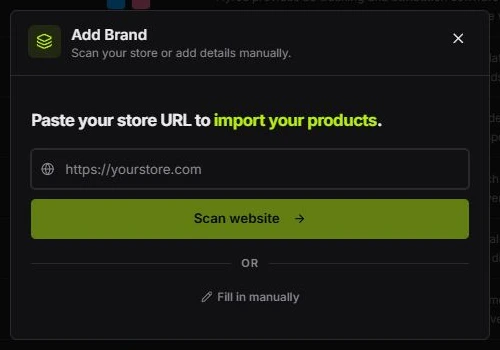 Paste the URL
 - 2
Research ads
Open Discovery. Start with All Ads, narrow the results with Filters, and save useful references.
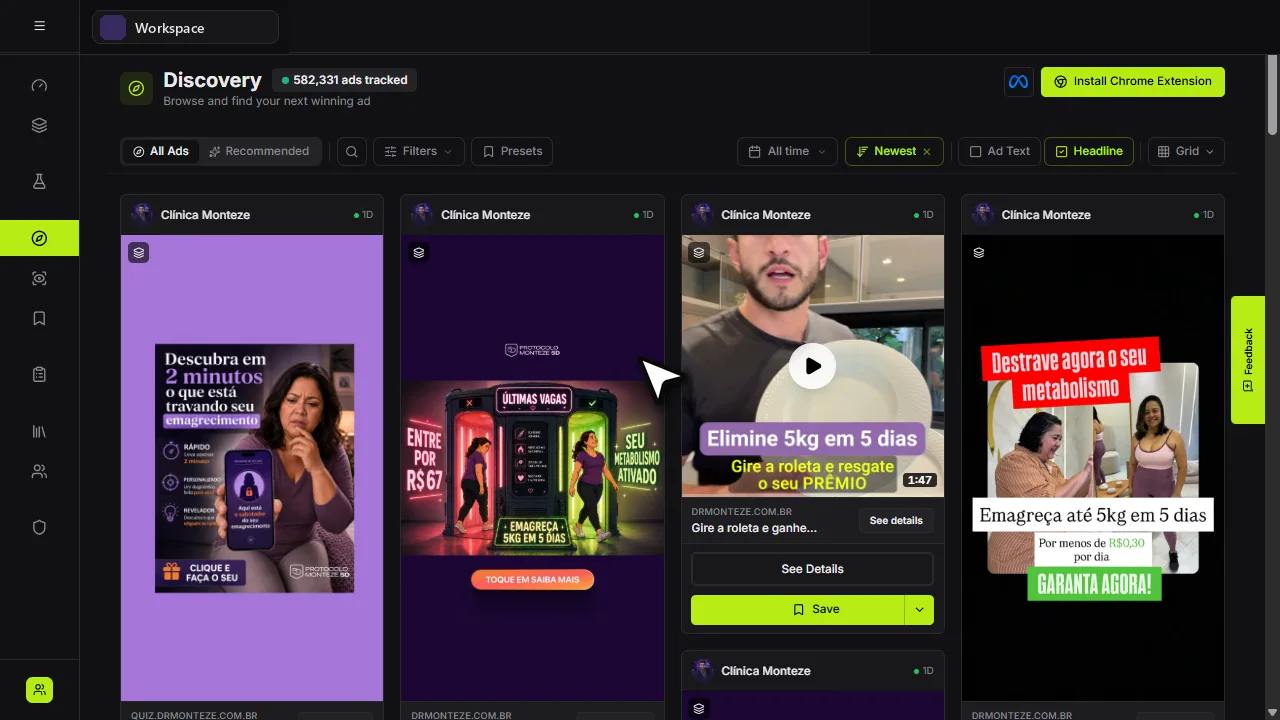 Start here
 - 3
Clone an image ad
Choose Clone on an image ad, select your product, review the reference and credit cost, then generate.
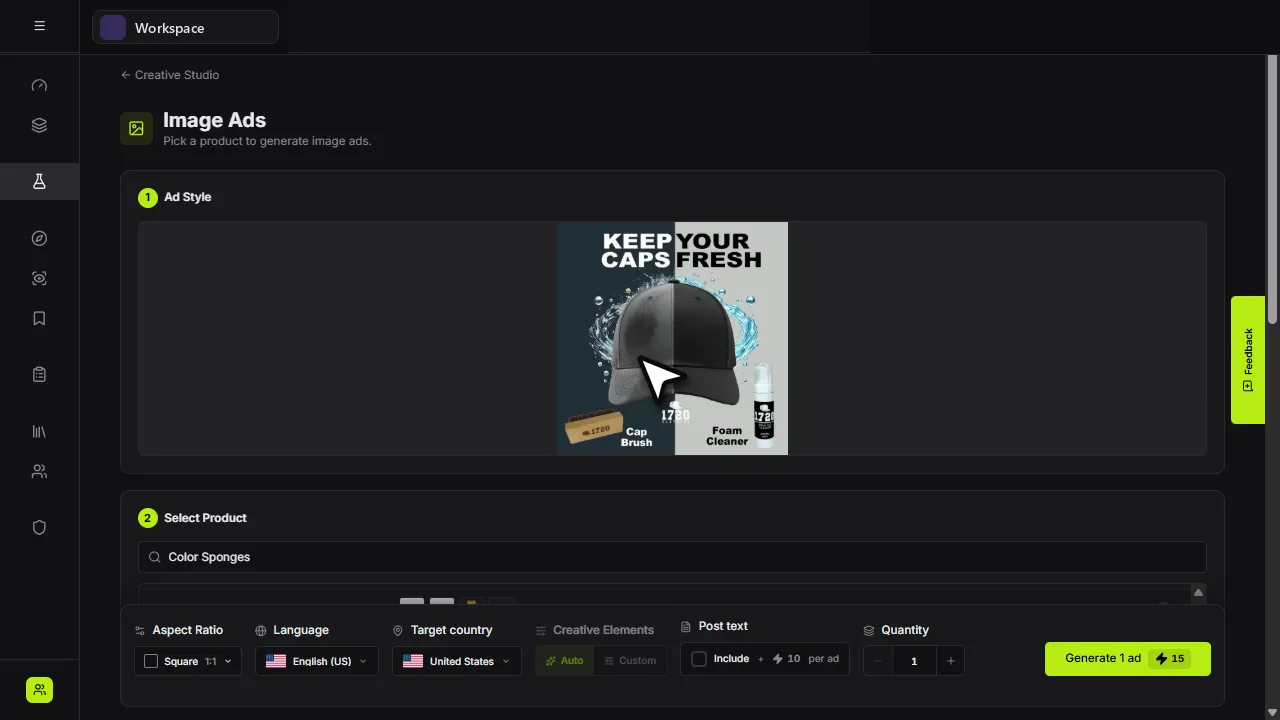 Reference
 - 4
Launch on Meta
Open Ads Manager and connect Meta as an owner or admin. Review your setup and publish with the required permissions and plan. New campaigns and ad sets start Paused.
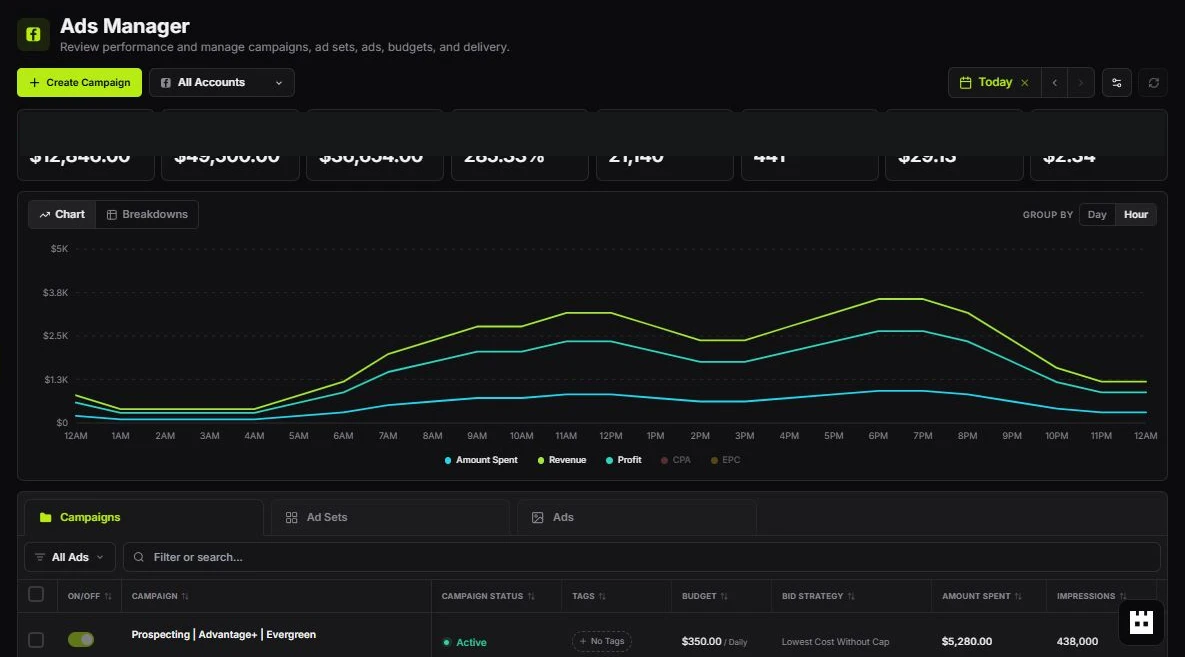 Create Campaign
Red labels show the exact control to use.
Watch the full walkthrough
Detailed referenceOpen this for definitions, limits, examples, and troubleshooting.
What Tartol does
Tartol brings ad research, brand monitoring, AI creative generation, editing, copywriting, and team organization into one workspace. You can use each tool directly or ask Tartol Agent how it works.
Controls do not add a lime border or glow when focused. Keyboard focus uses a thin neutral outline so you can see the active control. Selected options keep their normal selected styling. This is browser presentation only; public REST and MCP contracts are unchanged.
Research, clone, and launch ads from one place. Research ads in Discovery, clone an image ad for your own product in Creative Studio, then publish to Meta with Ads Manager when your workspace role, plan, and Meta permissions allow it.
The free-ads setup wizard (/start) ends with a Connect your ad accounts step: connect Facebook from the card, or choose Skip for now, while your six ads finish rendering in the background. Either choice completes setup and opens the Dashboard setup guide.
Click anywhere in the Setup guide header to collapse or expand its tasks, or focus the header control and press Enter or Space. The header keeps task progress and earned credits visible while collapsed. Collapsing does not change task completion or rewards; reopening restores the selected task. This browser-only display control adds no public API or MCP action. Dashboard (/dashboard) shows the setup guide directly below the greeting and above the metrics and activity. The guide itself is one card, styled like the other Dashboard cards, headed "Setup guide"; its header shows the completed-task count immediately to the right of the title and credits earned with the blue diamond icon at the far right; there is no separate progress bar. The progress ring before the task count fills in proportion to completed tasks (for example, 2 of 5 fills 40%) and forms a complete ring when all five tasks are complete. Finished task titles are struck through. The five task rows follow in this order: Import your brand, Connect your ad account, Generate ads, Save an ad, and Track a brand. Each row starts with a grey icon in an outlined tile (the Facebook logo for Connect your ad account), then the title; completed rows fade their icon and title to half opacity. The right side shows the credit reward while a task is still open (a subtle text-only pill saying "Earn 20 credits", with no icon) and, once completed, a single lime badge combining a check with the word Done, and the header keeps the credits-earned total. Each of the five tasks (importing a brand, connecting your ad account, tracking a brand, saving an ad, and generating ads) pays 20 credits. Previously earned credits are preserved; only future task completions use 20 credits, so an existing account may have earned more than the current 100-credit total. An active Meta connection completes its reward once per account owner, even without a trial or paid plan; reconnecting or switching workspaces cannot earn it again. Select an open row to expand or collapse its instructions, tutorial, and action button; completed rows are static and do not expand. Tutorial videos use the same player as ad videos: hover over a tutorial to reveal play/pause, seeking, volume, playback speed, theater mode, and fullscreen. Theater mode enlarges the video over the Dashboard; fullscreen fills your screen. These actions live in the hover controls, with no separate fullscreen overlay. Keyboard focus also reveals the controls; on touch screens they stay visible. Use the arrow keys on the playback position slider to seek by five seconds. The three benefit lines use extra vertical spacing for easier reading. Each action button sits directly below its three benefit lines, including Connect Facebook. All setup tasks start collapsed on each Dashboard visit, including previewed tasks and ads still generating. Click an unfinished task row to expand it; loading data or completing another task never opens a row automatically. Setup ads stay inside Generate ads. Once all tasks are complete, the five rows remain as a static summary. While Generate ads is still open it contains your six setup ads as they finish rendering, with Open in Creative Studio and Generate more actions; once the first ad exists the task counts as done and the row locks, and the ads remain in Recent generations and Creative Studio. Hover over a setup ad post to Copy ad text or Regenerate ad text. Copy uses the full post at no cost; regeneration uses 5 credits with an active trial or plan and updates the card and its preview. Select the creative to open a collapsed post, or Read more to open it expanded; the modal offers Read more and Show less. After the first expansion, collapsing and reopening this row preserves its loaded ads and images for the current Dashboard visit. The initial fetch says Loading your ads; generation progress appears only after the job is confirmed to be running. If loading fails, the card explains the problem and offers Retry loading to fetch the same batch again; already-loaded ads stay visible, and retrying does not generate new ads or spend credits. Open in Creative Studio loads the existing batch, using Loading ads while fetching its content instead of Starting or Generating, and does not start another generation; eligible pre-trial owners who deferred generation can enter their store URL or Continue setup here. Rewards are awarded after setup is complete without requiring a trial or paid plan, remain bound to the account owner across their workspaces, and total 100 credits across all five tasks for a new setup. Meta connection starts directly from its row, subject to owner/admin permissions, and returns to Dashboard. Dashboard is the first Main sidebar entry; old /welcome links redirect to /dashboard#setup-guide.
The trial card presentation and plan picker, setup reward presentation, setup card layout, card expansion with retained ads, loading indicators, tutorial playback controls, and super-admin incomplete-step preview are browser-only controls intentionally unavailable through the public REST API and MCP. Reward evaluation stays internal and automatic. Existing API and MCP brand, generation, saved-ad, and tracking actions retain their existing role, plan, and connection-scope checks. Tartol Agent explains the setup cards and directs users to Dashboard; it does not change preview state or duplicate those actions.
Research, clone, and launch ads
The homepage hero lists this workflow as three numbered steps under the headline: 1 Research, 2 Clone, 3 Launch, read together as "Research, clone, and launch ads from one place." The store URL form below the steps starts the free-ads flow, and the onboarding video shows a store being scanned and its first ads generated.
The homepage headline displays 1,000 ads immediately without a count-up animation. A white Watch the demo button with a blue play icon sits above the homepage headline, on desktop and mobile. It opens an on-page video player using the same controls as video ads in ad detail modals, with play/pause, seeking, volume, playback speed, and fullscreen, over a nearly opaque black backdrop to hide distractions behind the player. The demo modal fits the video aspect ratio within the screen, with the close button over the video and the progress controls aligned to its bottom edge; for now it reuses the first Import your brand tab video rather than a dedicated 90-second overview. Close demo, Escape, or clicking outside the player returns to the hero and stops playback. The See Tartol in action tab videos reveal their fullscreen control on hover or keyboard focus. Watching the demo does not require signing in or spend credits. This browser presentation adds no public REST API or MCP action; Tartol Agent can explain where to find it. On desktop, the homepage and free-ad landing page start with a transparent menu over the hero. After you scroll down, it becomes a compact floating menu inside a white card. The menu moves smoothly into place and its background fades in or out as you scroll away from or back to the top; these transitions are disabled when your device requests reduced motion. It keeps the same width, lime Tartol icon, and button layout as you scroll. The Dashboard or signup button stays white with dark text and no border in both menus. Extension is a main link with the Chrome logo on its left, just before LLM/MCP, and opens the Tartol Chrome extension in the Chrome Web Store in a new tab. Features, Pricing, FAQ, and Results are main navigation links that jump to their landing-page sections. Results opens the customer results and reviews. The Clone their longest running ads section shows a curated mix from each featured brand. Only one video plays in this section at a time: starting another video pauses the previous one, including hover previews, without resetting its playback position. The featured brands are Rosabella, RYZE Superfoods, Skool, and Iman Gadzhi. Rosabella uses at most two videos, Skool also uses at most two videos, and Iman Gadzhi uses at most two videos; each fills the remaining ten slots with varied image ads from that same brand when available. RYZE keeps its curated selection with at most three videos. Inactive curated images are replaced with available active images from the same brand, never extra videos. This public marketing preview does not change workspace REST API or MCP ad-search results; Tartol Agent can explain the preview. LLM/MCP is a main link with the Claude icon on its left and opens /mcp. Resources and Solutions are in the footer, including the Knowledge Base, Blog, Tool Comparisons, and all five role and use-case guides. On a phone, a full-width transparent header sits over the blue hero with the Tartol icon and a white hamburger button labelled Open menu. The closed top bar turns white with a dark hamburger icon after scrolling. Opening the menu makes the top bar white with a dark close icon, joining the full-width white links panel; closing it restores the transparent bar at the top or the white bar when scrolled. Open menu reveals the same Features, Pricing, FAQ, Results, Extension, and LLM/MCP links as main items, plus the signup or Dashboard action below the header. Choose a link or Close menu to collapse it. Mobile navigation is a browser-only presentation control and does not add public REST API or MCP actions; Tartol Agent uses this guide to explain it. Press Escape or click outside an open menu to close it.
Trial buttons say "Claim 7-Day Free Trial", including the desktop navigation, floating menu, and mobile menu. The store URL form still uses "Get 6 free ads" to start the free-ads flow. The trial benefits are followed by the hero video. A single trusted-brand logo slider below the video scrolls automatically across the full page width through the full brand lineup, with motion disabled when your device requests reduced motion.
- 1ResearchOpen Discovery (/discovery), search your niche or product category, inspect the ads, and save useful references to Saved Ads.
- 2CloneAdd your brand and product first. Choose Clone on a supported image ad to adapt its concept for your product in Creative Studio. Review the reference, product, and credit cost before generating, then refine and download your creative.
- 3LaunchAds Manager (/ad-manager) is available to all signed-in workspace users. Eligible users connect Meta, select the ad account and Facebook Page, choose their creative, review the campaign setup, and publish. New campaigns and ad sets start Paused; review delivery before activation. Other users can download their creative for their existing ad workflow.
Your first workflow
- 1Add your brandOpen Brands, paste the exact public store or landing-page URL, and let Tartol scan it.
- 2Check the productConfirm the product name, description, images, audience, and marketing angles. Better inputs produce more relevant creative.
- 3Research examplesOpen Discovery, search your niche or product category, and save promising ads to a board.
- 4Create an adOpen Creative Studio > Image Ads, select the product and references, review the credit cost, and generate.
- 5Refine and exportUse Editor, variations, or translation, then download the result or save it to Media Library.
- 6Launch where availableWith Ads Manager preview access, connect Meta, review your creative and campaign setup, and publish. New campaigns and ad sets start Paused. Otherwise, use the downloaded creative in your existing ad workflow.