Search or browse all guides
Quick visual guide
Create a scoped key in Settings, then follow the REST quickstart.
- 1
Open Integrations
Go to Settings > Integrations and find Integration API keys.
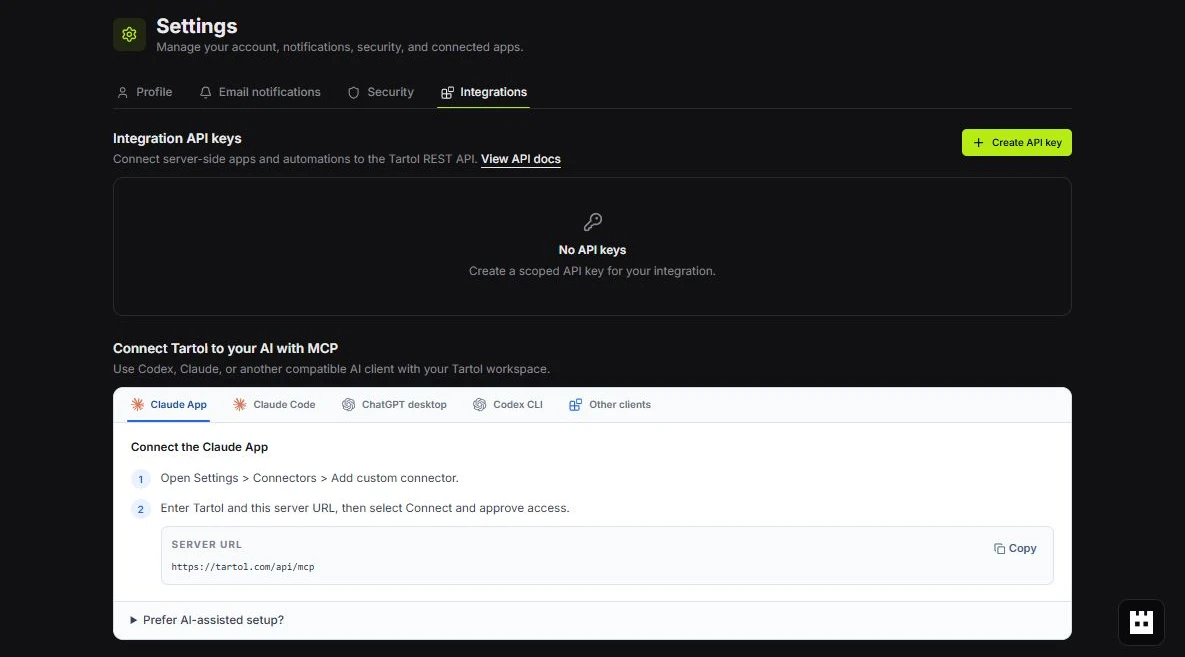 API keys
 - 2
Create a key
Choose Create API key. Name it, choose its workspace and expiration, and grant only needed permissions.
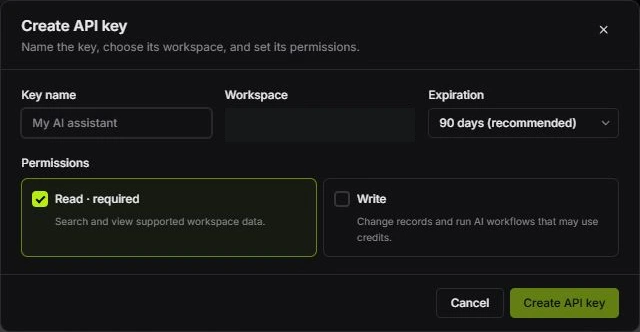 Set key access
 - 3
Use the quickstart
Open View API docs and copy the request pattern from REST API reference.
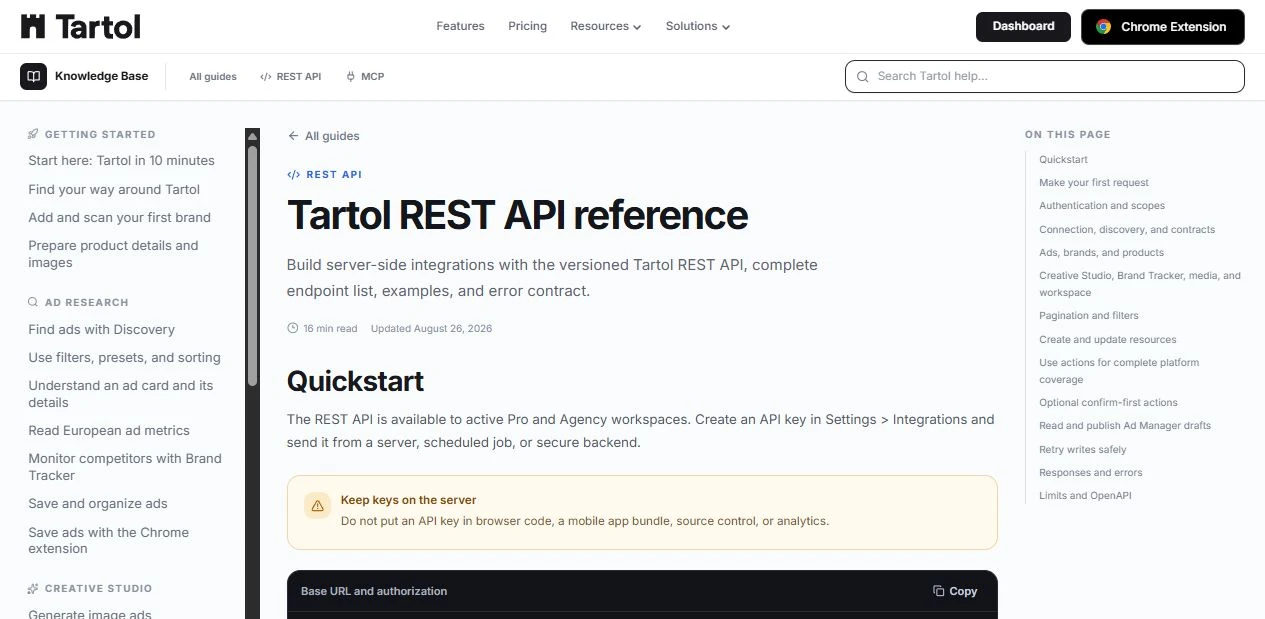 Quickstart
Red labels show the exact control to use.
Detailed referenceOpen this for definitions, limits, examples, and troubleshooting.
What the REST API is for
Use the REST API to read Tartol data and run supported workflows from a backend, scheduled job, data pipeline, or custom application. It uses standard HTTPS requests and JSON responses.
| Use case | Examples |
|---|---|
| Research | Search, filter, and retrieve ads, brands, products, and saved items. |
| Workspace automation | Manage supported records, collections, media, and workspace workflows. |
| Creative generation | Start image or copy generation and poll for the result. |
Access requirements
- An active Pro or Agency workspace for REST API access.
- A workspace-bound API key for REST requests.
- Permission to access the requested workspace data or action.
Production endpoint
Base URL
https://tartol.com/api/v1