Search or browse all guides
Quick visual guide
Start with the quickstart, then jump to the exact endpoint group you need.
- 1
Read Quickstart first
Create the key in Settings, then copy the first authenticated request.
 Start here
 - 2
Use On this page
Choose the endpoint group from the right-side contents instead of reading the full page top to bottom.
Jump to a section - 3
Copy the example
Use the copy button on the code example and replace only the documented values.
Copy
Red labels show the exact control to use.
Detailed referenceOpen this for definitions, limits, examples, and troubleshooting.
Available operations and access
REST accepts workspace-bound API keys. OAuth access tokens are issued for MCP and cannot authenticate REST requests. Active Pro and Agency workspaces can use REST. MCP is included with active Creator, Pro, and Agency plans. A valid connection whose workspace plan no longer qualifies receives 403; invalid, expired, revoked, unverified, or no-longer-authorized credentials receive 401.
The REST API and MCP share explicit external capability exclusions. Team and invitation administration, structural or cascading deletion, workspace settings, account-global notifications, and billing changes remain in the Tartol interface. Reading workspace members is available only with the relevant role permission. The OpenAPI document lists supported operations, and /api/v1/capabilities returns the subset available to your current key, role, and workspace.
Match the action schema
Read the live action schema before preparing or executing an operation. REST and MCP reject unknown fields, missing required fields, invalid nested options, and values of the wrong type. For example, send a numeric record ID as a JSON number, not a quoted string. REST returns 422 for invalid action arguments. Copy translation requires each language code and label to match an option returned by the action description.
Quickstart
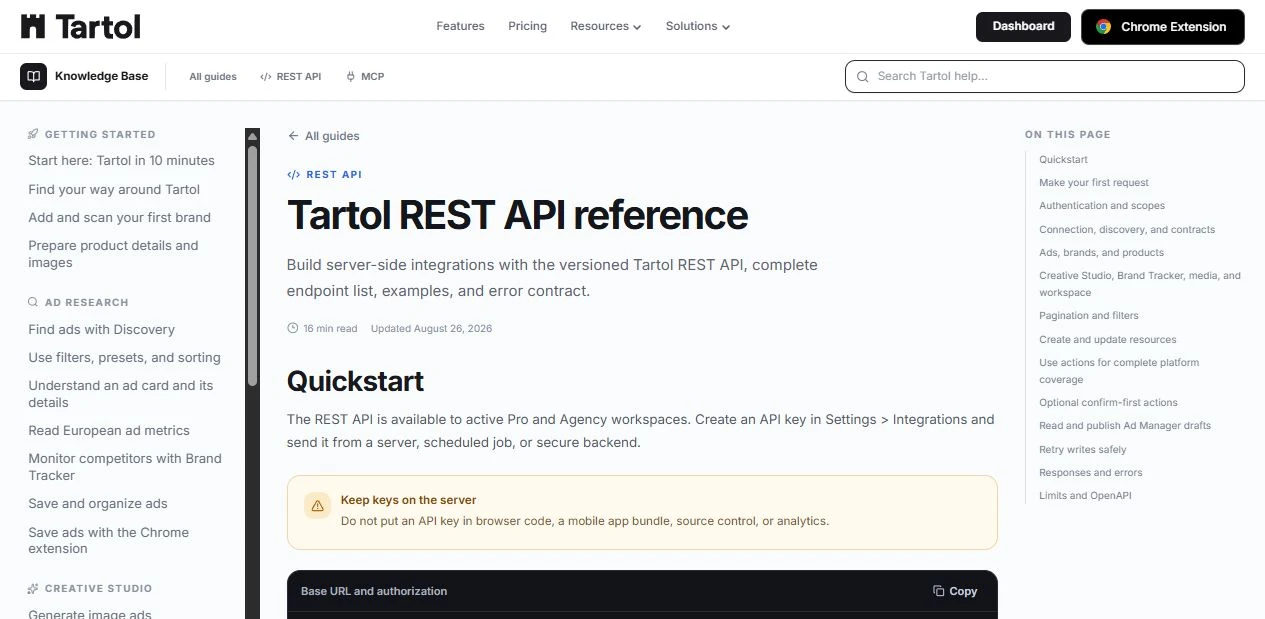
The REST API is available to active Pro and Agency workspaces. Create an API key in Settings > Integrations and send it from a server, scheduled job, or secure backend.
Base URL: https://tartol.com/api/v1
Authorization: Bearer $TARTOL_API_KEY
Make your first request
curl "https://tartol.com/api/v1/ads?limit=3&sort=newest" \
  -H "Authorization: Bearer $TARTOL_API_KEY"
Authentication and scopes
Send the key in the Authorization header on every protected request. A key is limited to one workspace, its selected scopes, and the permissions of the user who created it. Revoking the key, removing workspace access, or losing plan access stops future requests.
| Permission | Technical scopes | Allows |
|---|---|---|
| Read | tartol:read | Read permitted workspace resources. Required on every key. |
| Write | tartol:write + tartol:generate | Create, update, and delete permitted resources, including credit-consuming generation. |
Connection, discovery, and contracts
| Method | Path | Returns |
|---|---|---|
| GET | /api/v1 | API version, plan access, docs, and OpenAPI links. |
| GET | /api/v1/openapi.json | OpenAPI 3.1 document. No key required. |
| GET | /api/v1/me | Current user, workspace, connection, and scopes. |
| GET | /api/v1/capabilities | Actions and views allowed for this key. |
| GET | /api/v1/search | Search brands, products, ads, creatives, copy, tracked brands, and media. |
| GET | /api/v1/resources/{kind}/{id} | Fetch one resource returned by search. |
| GET | /api/v1/views | Available workspace views and aliases. |
| GET | /api/v1/views/{viewType} | Query any permission-visible Tartol view. |
Ads, brands, and products
Product create/update schemas use the same standardized product-type and pricing-model enums as the Brands editor. Read the current enum values from the OpenAPI schema rather than sending free-form labels. Brand scans return the detected source language while the brand catalog summary is written in English for consistent review. Website scans read usable public HTML before using a rendered-page fallback, and recurring plan ranges are supported by explicit currency-and-cadence evidence from the complete selected page rather than a truncated content prefix.
| Method | Path | Purpose |
|---|---|---|
| GET | /api/v1/ads | List and filter Discovery ads. |
| GET | /api/v1/ads/{id} | Get one Discovery ad by platform ad ID. |
| GET | /api/v1/saved-ads | List and filter saved ads. |
| GET, DELETE | /api/v1/saved-ads/{id} | Get or delete one saved ad. |
| GET | /api/v1/saved-ad-collections | List boards, folders, and tags. |
| POST | /api/v1/saved-ad-boards | Create a saved-ad board. |
| POST | /api/v1/saved-ad-folders | Create a saved-ad folder. |
| GET, POST | /api/v1/brands | List or create brands. |
| GET, PATCH | /api/v1/brands/{id} | Get or update a brand. |
| POST | /api/v1/brands/scan | Create and scan a brand from a public URL, including supported recurring price ranges. |
| GET, POST | /api/v1/products | List or create products. |
| GET, PATCH | /api/v1/products/{id} | Get or update a product. |
| GET | /api/v1/products/{id}/strategy | Get a product with audiences and angles. |
| POST | /api/v1/products/{id}/audiences | Create a saved audience. |
| POST | /api/v1/products/{id}/angles | Create a saved angle. |
Creative Studio, Brand Tracker, media, and workspace
| Method | Path | Purpose |
|---|---|---|
| GET | /api/v1/creatives | List generated creatives. |
| GET | /api/v1/creatives/{id} | Get one creative. |
| GET | /api/v1/copy | List generated copy. |
| GET | /api/v1/copy/{id} | Get one copy result. |
| POST | /api/v1/generations/images | Generate image ads. Uses credits. |
| GET | /api/v1/generations/images/{id} | Get image-generation progress and results. |
| POST | /api/v1/generations/copy | Generate copy. Uses credits. |
| GET | /api/v1/generations/copy/{id} | Get copy-generation progress and results. |
| GET, POST | /api/v1/tracked-brands | List or add tracked brands. |
| GET, DELETE | /api/v1/tracked-brands/{id} | Get or stop tracking a brand. |
| POST | /api/v1/tracked-brands/{id}/refresh | Refresh a tracked brand; oversized provider libraries use the same safe rolling-window behavior as the app. |
| GET | /api/v1/brand-tracker/search | Search Meta pages to track. |
| GET | /api/v1/brand-tracker/folders | List tracker folders and alerts. |
| GET | /api/v1/media | List Media Library assets. |
| GET | /api/v1/media/{id} | Get a Media Library asset. |
| GET, POST | /api/v1/media/folders | List or create media folders. |
| GET | /api/v1/dashboard | Get the workspace dashboard overview, including Ads Tracked, Ads Generated, Ads Launched, and longestStreak (days and year) for the current workspace and current year. |
| GET | /api/v1/meta-ads | Read token-free Meta connection status, saved drafts, and launch history. |
| GET | /api/v1/meta-ads/performance | Read the selected ad account’s token-free 30-day performance summary. |
| GET | /api/v1/workspace/members | List members, invitations, and limits when your role allows it. |
| GET | /api/v1/workspace/activity | List workspace activity. |
| GET | /api/v1/support/tickets | List support tickets. |
| GET | /api/v1/feedback | Get the feedback board. |
Pagination and filters
List endpoints accept the controls documented for that endpoint. Discovery and Saved Ads support the full ad-filter set, including platform, advertiser, format, status, category, targeting, dates, duration, running days, and EU metrics. Unsupported parameters return 400.
- Discovery and Saved Ads return up to 60 records per page.
- Other paginated resources return up to 100 records per page unless their endpoint documents a lower limit.
- Pagination metadata includes page, limit, total when available, and has_more. Response links include self, previous, and next when applicable.
GET /api/v1/ads?status=active&format=video&running_days_min=7&eu_only=true&page=1&limit=12| Parameter | Use |
|---|---|
| page | Page number starting at 1. |
| limit | Requested items. The response reports the applied limit. |
| search | Text search, up to 200 characters. |
| sort | newest, oldest, or longest_running when supported. |
| preset | ready_to_scale, native_ads, or eu_winners for Discovery. |
| eu_only | true to return only ads with confirmed EU-transparency evidence. |
Create and update resources
Use resource endpoints for normal application integrations. Every write requires JSON and an Idempotency-Key so a timeout can be retried safely. Generation requests return 202; use the returned generation ID with the matching status endpoint.
curl https://tartol.com/api/v1/brands \
  -X POST \
  -H "Authorization: Bearer $TARTOL_API_KEY" \
  -H "Content-Type: application/json" \
  -H "Idempotency-Key: create-brand-2026-08-04-001" \
--data '{"name":"Acme"}'curl https://tartol.com/api/v1/generations/images \
-X POST \
-H "Authorization: Bearer $TARTOL_API_KEY" \
-H "Content-Type: application/json" \
-H "Idempotency-Key: image-job-2026-08-04-001" \
--data '{"productId":42,"numberOfImages":2,"generatePostText":false}'curl https://tartol.com/api/v1/generations/images/123 \
-H "Authorization: Bearer $TARTOL_API_KEY"Use supported platform actions
Resource endpoints cover common integrations. The action API exposes additional supported external actions allowed by the key scopes and workspace role. The UI-only exclusions above still apply. Read an action’s live schema before sending it.
generate_product_audiences and generate_product_angles require an explicit count from 1 to 8. Tartol’s UI starts at 1, and each saved audience or angle costs 5 credits; the audience portrait is bundled into that price. Prepare responses include a structured credit_cost object so integrations can display the exact total before approval.
For advanced custom-audience Image Ads, read the product strategy, set autoAudience to false, and send only the saved selectedAudienceId. Avatar URLs and storage paths are display fields and must never be copied into generation arguments; Tartol validates the ID and resolves eligible casting evidence on the server.
- 1List actionsCall GET /api/v1/actions.
- 2Read the schemaCall GET /api/v1/actions/{actionType} for required fields, constraints, and an example.
- 3ExecutePOST the arguments to /api/v1/actions/{actionType} with an Idempotency-Key.
curl https://tartol.com/api/v1/actions/create_brand \
  -X POST \
  -H "Authorization: Bearer $TARTOL_API_KEY" \
  -H "Content-Type: application/json" \
  -H "Idempotency-Key: create-brand-2026-08-04-001" \
--data '{"name":"Acme"}'| Method | Path | Purpose |
|---|---|---|
| GET | /api/v1/actions | List actions available to this connection. |
| GET | /api/v1/actions/{actionType} | Read the action schema, example, and approval requirements. |
| POST | /api/v1/actions/{actionType} | Execute a supported direct action with an Idempotency-Key. |
| POST | /api/v1/actions/{actionType}/prepare | Validate an action and obtain its confirmation summary. |
| POST | /api/v1/actions/execute | Execute a prepared action with confirm=true and an Idempotency-Key. |
Optional confirm-first actions
Use the two-step flow when a person should review an action before it runs. It is required for credit-spending actions and consequential external actions such as publishing a saved Ad Manager draft to Meta. Prepared actions are short-lived, bound to the reviewed arguments, and can be used once.
| Step | Request |
|---|---|
| Prepare | POST /api/v1/actions/{actionType}/prepare |
| Execute after approval | POST /api/v1/actions/execute with pending_action_id and confirm=true |
Read and publish Ad Manager drafts
Read meta_ads_overview to receive token-free connection status, defaults, current plan allowance, saved drafts, and recent launch history. Its entitlement.adAccountsUsed is the shared publishing-account total across the subscriber’s active workspaces, with adAccountLimitScope set to account. The legacy adAccountsUsedThisMonth field reports monthly activity for the current workspace; it is not the ad-account quota. usedThisMonth still reports monthly ads published. Read meta_ads_performance for the selected ad account’s fixed 30-day KPI totals, daily series, and objective-aware ad rows. To publish, choose an exact saved draft and preserve both its draftId and draftUpdatedAt. Prepare launch_meta_ads_draft, show its exact paused-ad summary to a person, then execute the returned pending action after approval.
Programmatic publishing always forces every row to Paused and revalidates draft freshness, workspace ownership, plan limits, Meta assets, permissions, and idempotency. Meta OAuth, launch-default changes, campaign/ad-set creation, delivery status mutations, caller-selected report controls, provider import, caller-supplied unsaved rows, and Active delivery remain available only in the visual Ad Manager.
curl https://tartol.com/api/v1/views/meta_ads_overview \
-H "Authorization: Bearer $TARTOL_API_KEY"curl https://tartol.com/api/v1/actions/launch_meta_ads_draft/prepare \
-X POST \
-H "Authorization: Bearer $TARTOL_API_KEY" \
-H "Content-Type: application/json" \
-H "Idempotency-Key: meta-draft-2026-08-14-001" \
--data '{"draftId":"00000000-0000-4000-8000-000000000000","draftUpdatedAt":"2026-08-14T12:00:00.000Z"}'curl https://tartol.com/api/v1/views/meta_ads_performance \
-H "Authorization: Bearer $TARTOL_API_KEY"Retry writes safely
Requests that execute a change require Idempotency-Key. Reusing the same key with the same request replays the stored response for 24 hours. Reusing it with different arguments returns 409.
- Generate a unique key for each intended change.
- Keep the same key when retrying a timeout.
- Do not reuse one key for multiple records or jobs.
Responses and errors
{
  "data": {},
  "meta": {},
  "links": {}
}{
"error": {
"code": "invalid_api_key",
"message": "Provide a valid Tartol API key.",
"requestId": "..."
}
}| Status | Meaning |
|---|---|
| 400 | Invalid path, query, body, or idempotency key. |
| 401 | Missing, invalid, expired, or revoked key. |
| 403 | Plan, scope, role, or feature permission denied. |
| 404 | Endpoint or workspace resource not found. |
| 409 | State or idempotency conflict. |
| 413 | Request body exceeds the supported size. |
| 415 | Write body is not application/json. |
| 422 | Action arguments do not match the live schema. |
| 429 | Rate limit reached. Follow Retry-After. |
| 500 or 503 | Tartol could not complete the request. |
Limits and OpenAPI
Import the OpenAPI document into Postman, Insomnia, an SDK generator, or your developer portal. It includes resource routes, action routes, required headers, scopes, and error responses.
- Read requests: 600 per minute per API connection.
- Write requests: 120 per minute per API connection.
- Generation requests: 20 per minute per API connection.
- JSON request body: 256 KiB maximum.
https://tartol.com/api/v1/openapi.json