Search or browse all guides
Quick visual guide
Send one clear report without passwords, tokens, keys, or payment data.
- 1
Choose New Ticket
Open Support and select New Ticket in the upper-right corner.
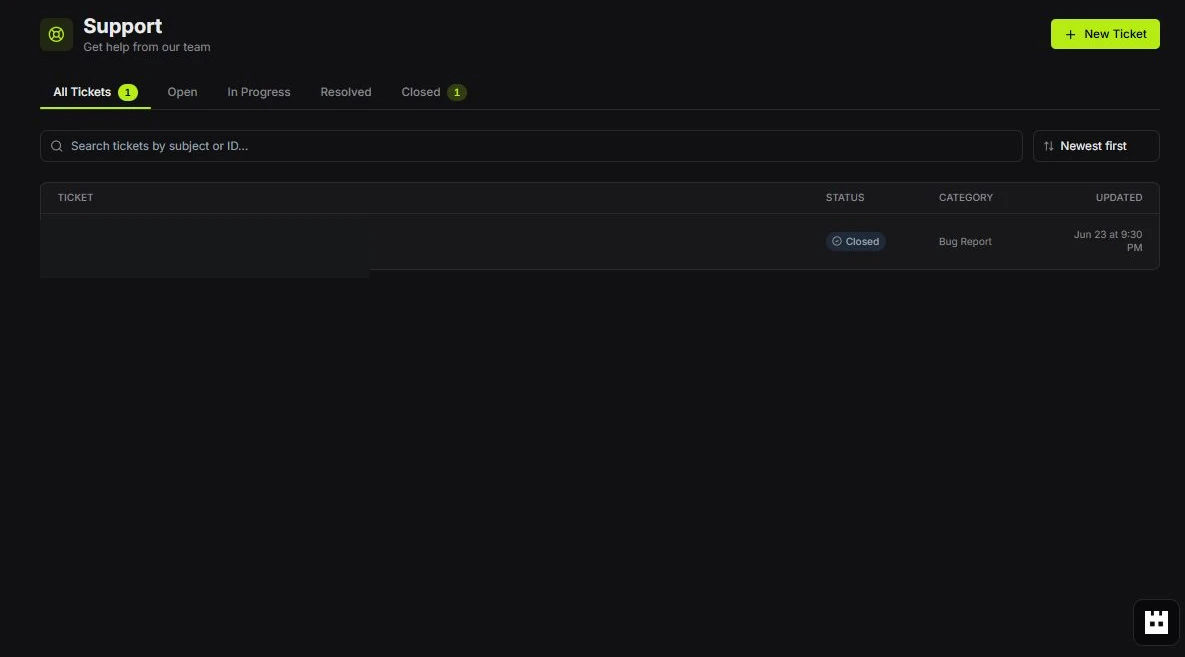 New Ticket
 - 2
Describe the issue
Include the page, exact steps, expected result, actual result, time, and safe error text.
Ticket area - 3
Track its status
Use Open, In Progress, Resolved, and Closed to find the ticket later.
Status tabs
Red labels show the exact control to use.
Detailed referenceOpen this for definitions, limits, examples, and troubleshooting.
Support versus feedback
| Use | When |
|---|---|
| Support | Something is broken, blocked, billed incorrectly, or specific to your account. |
| Feedback | You have a product idea, workflow improvement, or feature request. |
Add images to feedback
Use Upload image or paste an image file in the Feedback editor. JPG, PNG, and WebP images can be up to 8MB each. Pasted HTML containing embedded images is stored only after those images upload successfully; the feedback text limit still applies.
If an image upload fails, the post, comment, or changelog update is not saved. Keep your draft and retry, or remove the attachment.
Write a useful report
- State the page and active workspace.
- List the exact steps that reproduce the problem.
- Say what you expected and what happened instead.
- Include the time and the error message, with credentials removed.
- Attach a screenshot or short recording with private data hidden.