Search or browse all guides
Quick visual guide
Use one reference and one clear change so the result is easy to compare.
- 1
Choose the reference
Start Custom Image Ads from a saved ad, uploaded reference, or selected template.
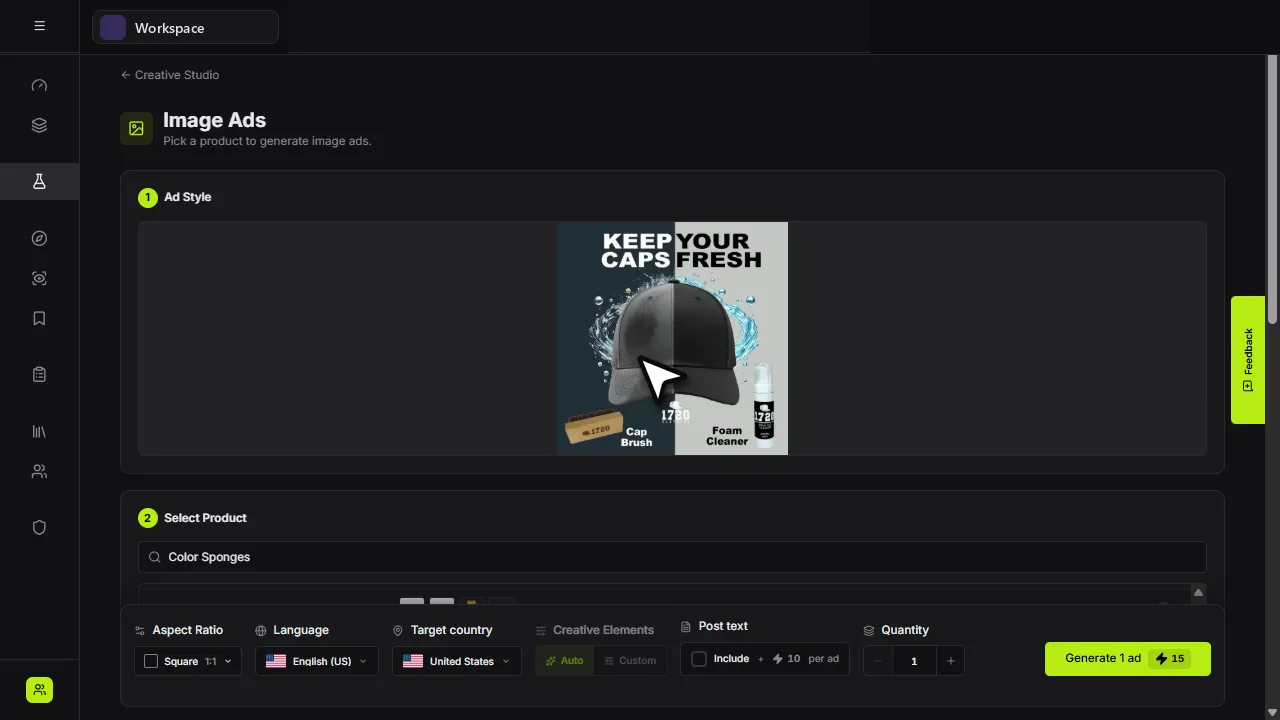 Reference
 - 2
Select your product
In Select Product, choose the product that should replace the reference offer.
Your product - 3
Review the cost
Check the final controls and displayed credits, then choose Generate.
Generate
Red labels show the exact control to use.
Watch the full walkthrough
Detailed referenceOpen this for definitions, limits, examples, and troubleshooting.
Clone versus variation
| Workflow | Use it when |
|---|---|
| Clone | You want to transfer the useful structure of an outside or saved ad to your product. |
| Variation | You already have a Tartol creative and want controlled alternatives. |
Create a controlled test
- 1Select the referenceUse an ad whose layout or mechanism is relevant to your offer.
- 2Select your productConfirm the correct product images and name.
- 3State what to preserveCall out hierarchy, framing, or visual rhythm—not another brand’s identity.
- 4State what to changeSpecify product, audience, claim, colors, setting, or aspect ratio.
- 5Compare as a setJudge whether each output communicates the intended message before focusing on polish.